Sydney’s first audio guide that runs entirely from a link — no app to download
Your Sydney guide knows
which way to look
An audio guide you open from one link — nothing to download — that works like an app: it analyses your movement speed (walking, cycling or driving) and adapts when it speaks, knows where each landmark sits, and tells you which way to look in a real human voice. 150+ Sydney attractions in a self-guided audio tour, narrated automatically as you pass them. By Andrew Sorokin, licensed Sydney guide since 2006.
GPS
Direction-aware narration — tells you which side to look
Path projection + bearing detection lets the guide say "look on your right" or "look on your left" as you approach each attraction — like a real human guide riding next to you.
150+
150+ Attractions & 9 Hours of Audio
Nine hours of audio: about 5 hours of attraction stories across 150+ landmarks, plus a 4-hour Australia podcast that fills every gap between stops — so there’s never silence.
🚗
Car, bicycle & bus compatible
GPS adapts to your speed — works equally well driving, cycling, or riding a hop-on bus. Connect to car Bluetooth or use headphones on a bike.
🧭
Rotating map — auto-aligns with your direction of travel
Tap the compass icon in the top-right of the map to switch between North Up (default) and Heading Up — the map rotates with your direction of travel so left on the map is always your left, no more mental flipping at intersections.
+
Expert commentary by a local guide
Recorded by our 20-year veteran Sydney tour guide -stories and secrets you won't find in any book.
↓ Tap a price to purchase
Try It
Starter
A$35
1-day access
Buy →
Best Value
Explorer
A$49
3-day access
Buy →
Drivers
Professional
A$255
30-day access
Buy →
Secure payment via Square • Card, Apple Pay & Google Pay accepted
TRUSTED BY SYDNEY VISITORS
★★★★★
★★★★★ · TRIPADVISOR VERIFIED · 26 MAY 2026
“The New Way to see Sydney — Impressed!”
“I rented a car and decided to try this audio guide. I absolutely loved it! The best part is that there is no need to download any apps — you just pay, receive a link and you are ready to go. I spent the entire day driving around Sydney following their recommended route and couldn’t be happier with my purchase. It honestly feels like having a highly professional, personal tour guide right in your pocket.”
★★★★★ · VIATOR VERIFIED · 22 MAY 2026
“Amazing audio tour for Sydney visitors!”
“Visited first time Sydney. We booked Andrew’s audio guide on Viator and rented car to save $$$. Best decision! The link came by email very quickly. We opened it on phone, no app needed. Best part — audio plays automatically when you arrive at each place. We did not need to press anything. Andrew is licensed Sydney guide, 20 years experience. Worth every dollar!”
★★★★★ Show 5 more 5-star reviews ▾
★★★★★ · 5 MAY 2026 · David
“Used this for a day trip around Sydney’s beaches and inner city. The night mode feature was a nice touch when we drove back in the evening. Good value for money.”
★★★★★ · 1 MAY 2026 · Sarah
“Perfect for a self-drive tour of Sydney. The commentary about the Opera House and Harbour Bridge was excellent. Easy to start — just open, allow GPS and go.”
★★★★★ · 29 APR 2026 · Mark
“Great concept and well executed. Took the family around Sydney and the kids loved the stories. A fantastic experience from start to finish.”
★★★★★ · 21 APR 2026 · Jessica
“Really enjoyed the audio tour! It’s like having a local guide in your car. Covered so many attractions I wouldn’t have found on my own. The GPS triggering worked perfectly.”
★★★★★ · 18 APR 2026 · Kirsi
“I used the Sydney Self-Guided Audio Tour Web App during my holiday. Drove around famous landmarks while listening to fascinating stories. Easy to use and a unique way to explore at my own pace.”
Why Our Audio Guide Is Different
Zero downloads. Zero installs. Just 2 buttons and you’re touring.
A self-guided Sydney audio tour that opens in your browser — nothing to download, nothing to install — and narrates 150+ attractions automatically, telling you which way to look. It looks and behaves like a downloaded app, except there’s nothing to download and nothing to update. Open the link on any device and forget about it. A non-stop Australia podcast plays between landmarks, with direction-aware narration ("look on your right" / "look on your left") when you approach each attraction. Like having a 20-year Sydney guide riding next to you. Press Start Tour — GPS activates, Guide Mode turns on automatically, and the Attractions Groups picker opens. Tick your interests (Historical, Nature & Beach, Shopping, Wildlife, Photo), press Done — and drive, cycle or ride a bus. No silence, no boredom, no fumbling for an app the entire ride.
Why riders never get bored on the entire 4-hour ride:
| Old GPS guides (competitors) |
Our audio tour |
| App Store download & sign-up required | Open one link in any browser — no app, no account |
| Fixed trigger radius regardless of speed | Speed-adaptive zone — tight for walkers, wide for drivers |
| "Attraction ahead" | "Look on your right" / "your left" |
| Crude radius-only GPS trigger | Path projection + bearing detection |
| Static North-Up map | Heading-Up rotating map — left on map is your left |
🔊 Never Goes Silent — Non-Stop Australia PodcastBetween attractions, the guide plays a continuous Australia podcast — history, culture, native wildlife, fun facts, behind-the-scenes stories from 20 years of guiding. As you approach an attraction, it smoothly switches to that landmark’s full story with "look on your right" direction cue. Then back to the podcast. No silence, no boredom for the entire 4-hour ride.
Advanced Auto-GuideGPS tracks your position and bearing — commentary plays automatically as you approach each attraction. Queues multiple nearby stops.
Day & Night ModeSwitch between light and dark themes for comfortable use at any time of day.
Personalised by InterestPick what you love — Historical, Nature & Beach, Shopping, Wildlife or Photo Sights. The tour filters attractions to match your taste and auto-renumbers your personal route.
Smart SortingSort attractions by distance from you or by route number. Drag cards to create your own custom order.
Interactive MapTap any pin on the live map and its attraction card jumps to the top of your list — great for planning ahead.
Adaptive LayoutLandscape mode: map + cards side by side. Portrait mode: classic vertical scroll. Optimised for any screen.
Cars, Bikes & BusesGPS adapts to your speed — works equally well in a car, on a bicycle, or from a hop-on bus seat.
150+ AttractionsOpera House, Harbour Bridge, Bondi Beach, Watson’s Bay, Macquarie Street heritage precinct, Kings Cross, Paddington, and many more.
Real Human Voice, Not a RobotEvery commentary track is recorded by our 20-year Sydney tour-guide veteran — warm, witty and packed with insider stories you won’t hear from any AI voice.
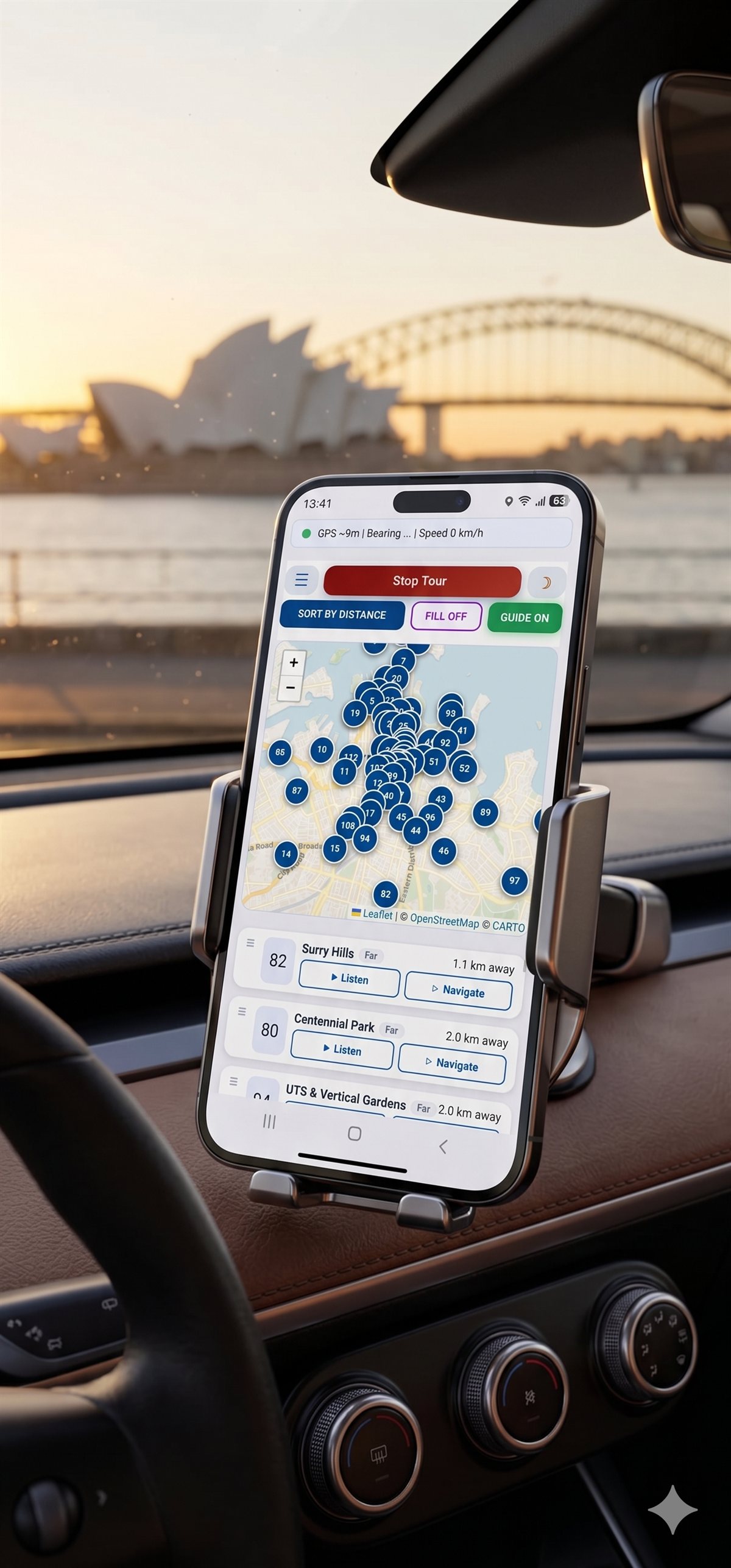
🚗 In Your Car — Audio Through Your Car Speakers
Your phone runs the tour; your car plays the sound. Mount your phone, connect it to your car by Bluetooth (or an AUX cable), press Start — and the commentary plays through your car speakers automatically as you drive. Your phone in its mount shows the live map as your nav aid.
Set it up in 30 seconds — do this parked:
1
Pair your phone with the car via Bluetooth, or plug in AUX
2
Open the link, press Start, pick your interests, press Done
3
Drive — the right story plays automatically as you approach each place
Works in ANY car — petrol, hybrid or electric, rental or your own, via Bluetooth or AUX. No CarPlay, no Android Auto, no app to install.
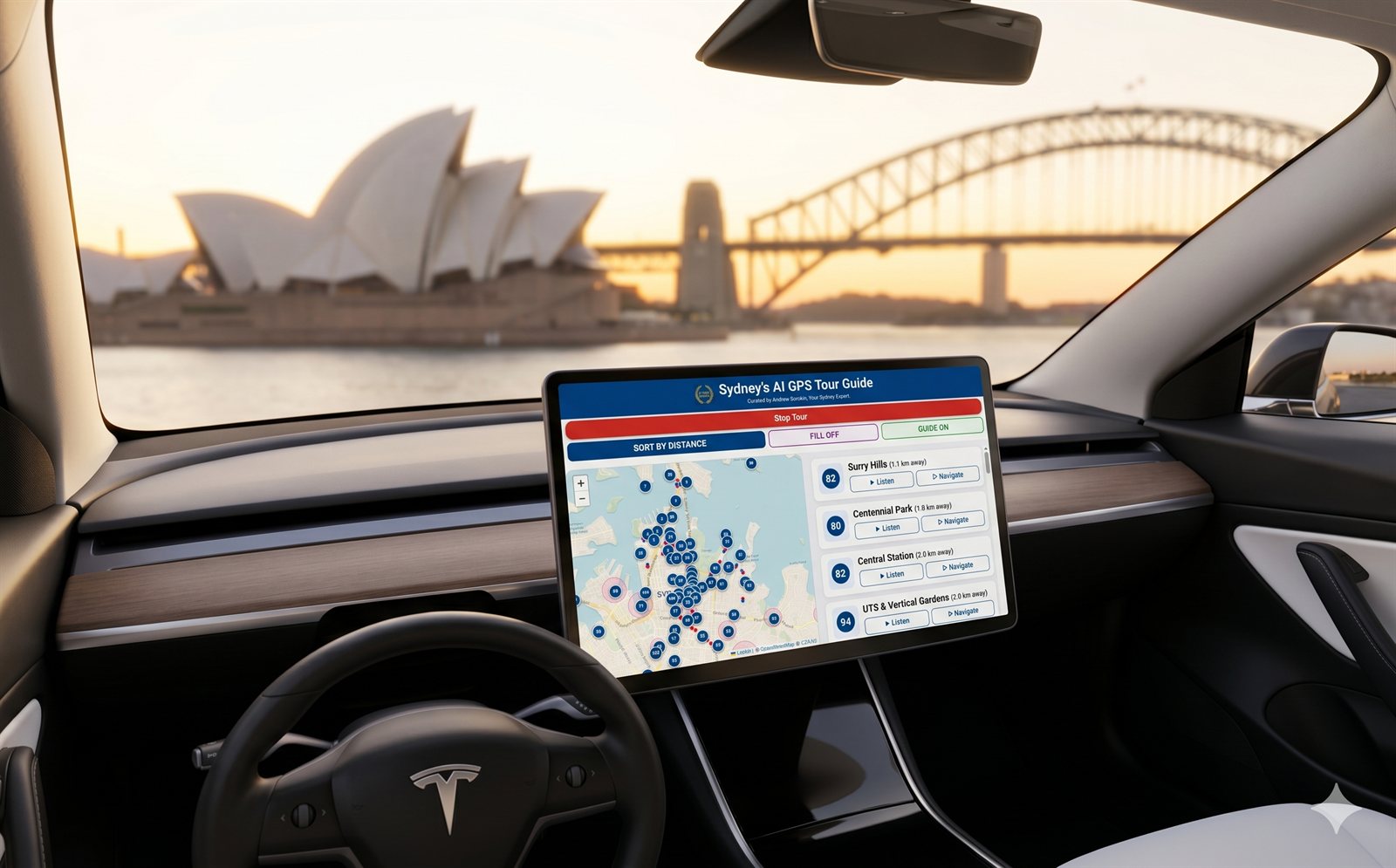
Tesla, BMW, Mercedes & Polestar owners: same method — phone + Bluetooth. You can open the tour on your dashboard browser while parked to preview it, but on the road Australian law (Road Rule 299) stops any car screen from running a web page for the driver — so the audio comes from your phone through your speakers, exactly like in every other car.
🚘 Renting a Car at Sydney Airport?
Skip the terminal rental desks and save A$50+ a day — watch the local guide’s walkthrough below. Then open the audio tour in your rental and drive Sydney with live commentary.
⚠ Before You Start — Important Tips
Two quick settings, done once while parked. Because the tour runs instantly in your browser with nothing to install, set these so GPS and audio run all day:
- Keep the screen awake. When the screen locks, iOS/Android pause GPS and audio for web pages. Before you start:
- iPhone: Settings → Display & Brightness → Auto-Lock → Never.
- Android: Settings → Display → Screen timeout (may also be labelled Sleep or Screen off on Samsung/Xiaomi/Huawei) → pick the longest option, usually 30 minutes. Android has no “Never” — plugging into a car charger keeps the screen awake on most phones.
- Plug into a car charger. GPS + audio drains the battery fast. A USB-C or Lightning car charger keeps you going all day.
- Keep the tab in the foreground. Don’t switch apps mid-tour — reloading restarts from the beginning.
- Mobile data is required. In tunnels (Sydney Harbour Tunnel, Cross City Tunnel, underground car parks) audio and maps will pause until signal returns — this is normal for any web-based tour.
- Use Bluetooth or a car AUX cable to share the commentary with all passengers.
Questions & Answers
How does it work after I buy?
After payment you will see your personal access link on screen and receive it by email. Starter is valid 1 day, Explorer is valid 3 days, and Professional driver access is valid 30 days.
Can I share it with others?
The access link is locked to one smartphone, but the experience is meant to be shared! Simply connect your phone to your car’s Bluetooth or speakers so all passengers can enjoy the commentary together.
Do I need mobile data or Wi-Fi?
Yes — a continuous mobile data connection is required. The tour is a browser-based web app; audio and map tiles stream on demand. An Australian SIM with pre-paid data works perfectly; hotel Wi-Fi is fine only while stationary. In tunnels or dead-zones (e.g. Sydney Harbour Tunnel, underground car parks) the signal will drop and new audio may pause until signal returns.
Will the audio keep playing if my phone screen locks?
No. Because this is a browser-based web app (not a native iOS/Android app), iOS Safari and Android Chrome suspend GPS access and may pause audio when the screen locks or the tab is sent to the background. Before you start the tour:
iPhone — Settings → Display & Brightness → Auto-Lock → Never.
Android — Settings → Display → Screen timeout (on Samsung/Xiaomi/Huawei it may be called Sleep or Screen off) → choose the longest option (usually 30 minutes; Android does not offer “Never”). Plug the phone into a car charger and keep the tour tab in the foreground.
What happens if I reload the page during the tour?
Pro Tip: To ensure a seamless experience, keep the browser tab open in the foreground. Refreshing or reloading the page will restart the tour from the beginning.
What is the Professional plan for?
The Professional licence is designed for commercial tour drivers and guides who want to play the audio commentary for their clients. It provides 30-day access for daily commercial use.
I had a problem after payment - help!
Email [email protected] with your payment receipt and we will activate your tour within 1 hour.
|